
Introduction: A Glassy Revolution in Apple UI
At WWDC 2025, Apple unveiled a sweeping redesign across all its platforms—iOS 26, iPadOS 26, macOS Tahoe 26, watchOS 26, and tvOS 26—under the new Liquid Glass Interface. Marking the first major visual overhaul since iOS 7, Liquid Glass takes cues from visionOS, blending real-time translucency, dynamic lighting, and intuitive depth into every user interaction.
What Is the Liquid Glass Design Language?
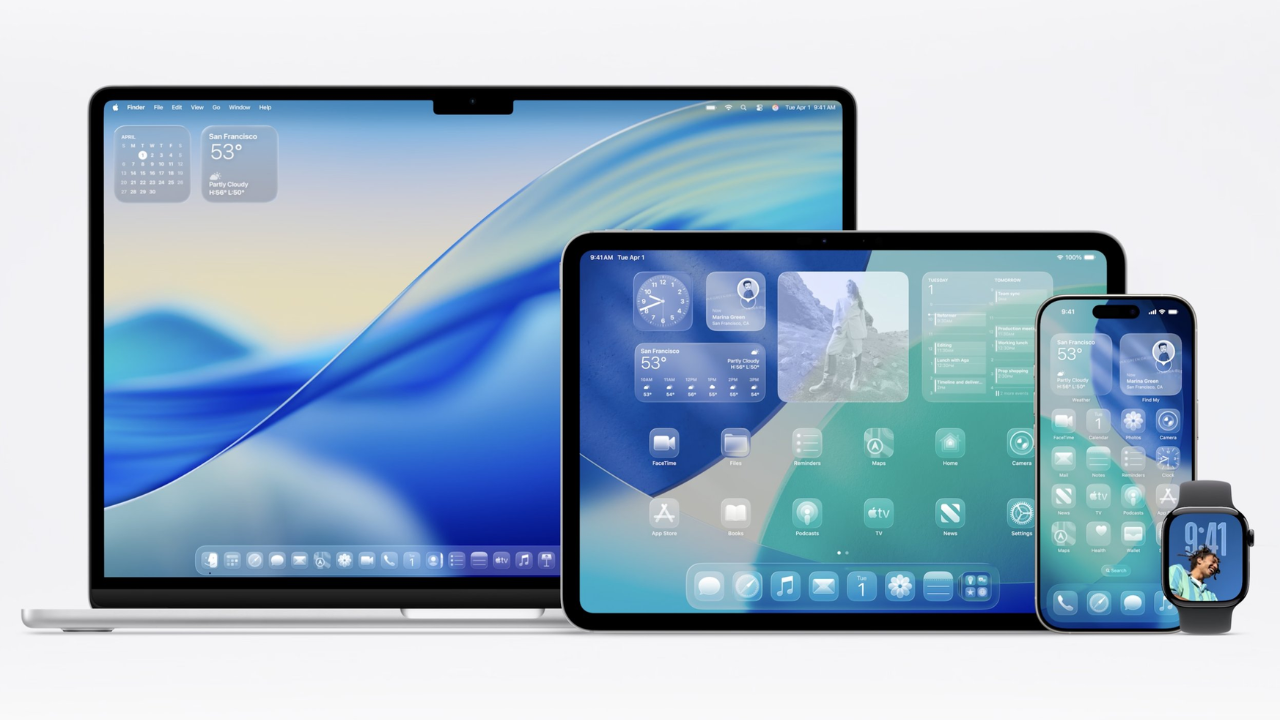
Apple describes Liquid Glass as a design system inspired by “depth and dimensionality,” using a translucent material that mimics real glass. This material reflects and refracts the content behind it, reacting dynamically to light and motion. Whether you’re using an iPhone, MacBook, or Apple TV, the entire interface will now feel more alive and interactive.
The material intelligently adapts to light and dark environments, improving visibility and delivering a consistently premium feel. The UI elements appear to float above content, adding visual depth without clutter.
Where You’ll See Liquid Glass in Action
- Lock Screen & Control Centre: Dynamic lighting with real-time color adaption.
- Home Screen: Floating widgets, glassy notification panes, redesigned icon trays.
- App Elements: Buttons, sliders, switches, and media controls all get translucent updates.
- Toolbars & Sidebars: Rounded corners and glassy scroll effects on iPadOS and macOS.
Revamped App Experiences
First-party apps like Safari, Photos, Camera, Apple Music, Apple News, and FaceTime showcase the redesign. In-app controls now sit above the content, expanding only when needed. This reduces clutter while enhancing focus on content.
For example, in Safari, the navigation bar adapts its transparency based on webpage background, giving a clean, immersive browsing experience.
Customization and Adaptability
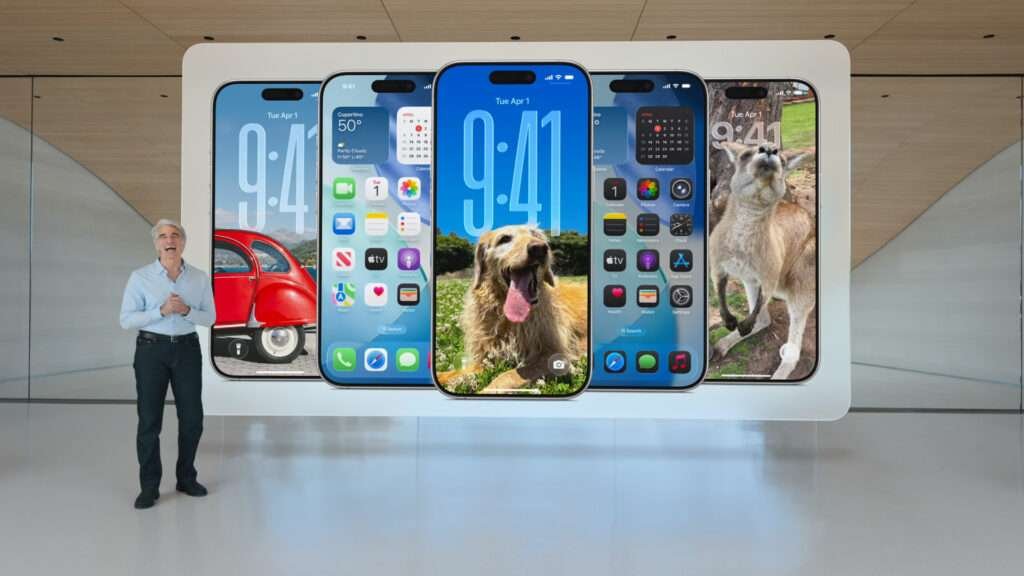
macOS Tahoe 26 brings deeper customizability. Users can now style the Dock and desktop with widgets and app icons that support new light and dark tints. A transparent menu bar adds elegance and subtlety to the Mac UI.
On iPadOS and macOS, the sidebars are more fluid—expanding or collapsing based on interaction and showing layered reflection effects that give a 3D appearance.
Why It Matters: The Future of Apple Design
The Liquid Glass interface isn’t just an aesthetic update; it signals Apple’s strategy to unify user experiences across devices while pushing the boundaries of real-time graphic rendering and motion design. By leveraging the technology developed for visionOS, Apple is bringing spatial interface elements into everyday device interactions.
This evolution ensures users feel consistency and delight whether on an Apple Watch or a 27-inch Mac display.
Conclusion: Ready for the Era of Liquid Glass
The Liquid Glass design language sets a new visual and interactive benchmark. With Apple’s push toward unified aesthetics and spatial design, users can expect more immersive, intuitive, and beautiful interfaces in the Apple ecosystem. As iOS 26, macOS Tahoe 26, and others roll out, this update may define the next decade of digital experience.
Read more on Apple Developer Portal to explore design guidelines for Liquid Glass.